I switched to Zed last week. Sort of.
Here’s the thing: Zed is faster than VSCode in every way that matters. The startup time, the responsiveness, the lack of that annoying 200ms lag when you’re typing in a massive file, it’s all there. The editor feels like it was written this decade, not bolted together from Electron parts scavenged from a 2015 Chromium build.
But I’m still dual-wielding editors like some kind of masochist. Let me explain why.
What Zed Gets Right
After years of watching VSCode accumulate extensions, telemetry, and Electron overhead, Zed feels like a breath of fresh air. This is what a modern code editor should be.
Speed that actually matters. Zed opens instantly. VSCode takes 2-3 seconds on computer, longer on my remote desktop. Multiply that by the dozens of times I open a project daily and I’m saving real time. More importantly, there’s zero input lag. No micro-stutters when scrolling through large files. No brief freezes when the extension host decides to do something. Just smooth, responsive editing.
Memory usage that doesn’t make me check Activity Monitor. VSCode regularly balloons to 1.5-2GB of RAM with a few projects open. Add some extensions and you’re looking at multiple processes eating another gigabyte. Zed sits at 200-300MB for the same workload. I’m not closing my editor when I need to run Docker containers or open a browser with more than three tabs. My PC fans actually stay quiet.
Snappiness in everything. File switching is instant. The language servers feel meaningfully faster, and go-to-definition jumps are immediate. Syntax highlighting updates in real-time without that weird flicker VSCode sometimes does. It’s a hundred small optimizations that make the tool disappear.
Keybind discoverability done right. Zed’s command palette shows shortcuts alongside every command. This seems obvious in retrospect, but it’s genuinely transformative for learning and remembering keybindings. Instead of hunting through menus or Googling “how to split editor VSCode,” I just see it right there.
Designed for performance, not extensibility. This is controversial, but I think it’s Zed’s secret weapon. VSCode became a platform, which means compromises, compatibility layers, and complexity. Zed is an editor. That singular focus shows.
The first week with Zed, I kept noticing these little moments of delight. Cmd+P is instant. Git blame appears without lag. Large file diffs don’t choke the UI. These aren’t flashy features. They’re the foundation of a tool that respects your time.
The Efficiency Compound Effect
Here’s what I didn’t expect: the performance gains change how I work. When an action is instant, you do it more often. I browse code more freely. I experiment more. I’m less precious about opening and closing files because there’s no friction.
With VSCode, I’d developed unconscious workarounds. Keep fewer tabs open to reduce memory pressure. Avoid certain extensions because they made things sluggish. Wait that extra beat before typing after opening a file. With Zed, those workarounds are gone.
What’s Missing (But Not Dealbreaking)
Zed is young. Some features I rely on aren’t there yet.
-
Git integration is basic. No tree graph view, no rich commit history visualization (just file history). For complex branch work or investigating merge history, I still flip back to VSCode or GitKraken. But some people are actively working on this. It’s a known gap, not a forgotten feature.
-
Syntax highlighting lacks some depth. Advanced language features sometimes miss proper highlighting. It’s readable and functional, but if you’re used to VSCode’s semantic tokens or heavily customized TextMate grammars, you’ll notice what’s missing.
-
Remote development needs work. I work on EC2 instances regularly. VSCode’s Remote-SSH is mature. Debugging, port forwarding, the full development experience over SSH. Zed has remote project support, but some features like debugging doesn’t work reliably. For serious remote work, that’s tough to overlook.
-
Multi-root workspace quirks. Projects with multiple folders have some rough edges. The integrated terminal always opens in the first folder. Config files save only to the first folder. It works, but it’s not polished.
-
UI customization gaps. No smooth scrolling option (I like the aesthetic don’t judge me). Markdown preview uses the UI font with no way to override it for monospace content. Small annoyances that stack up if you care about these details.
The Two-Editor Strategy
I’m not doing a hard cutover. That’s how you lose a day to configuration issues or discover a critical gap during a deadline.
My current approach:
- Zed for daily work, net-new projects, and local development. Anything where speed and responsiveness matter most.
- VSCode for remote debugging, complex git operations, and legacy projects. When I need the mature ecosystem and battle-tested tooling.
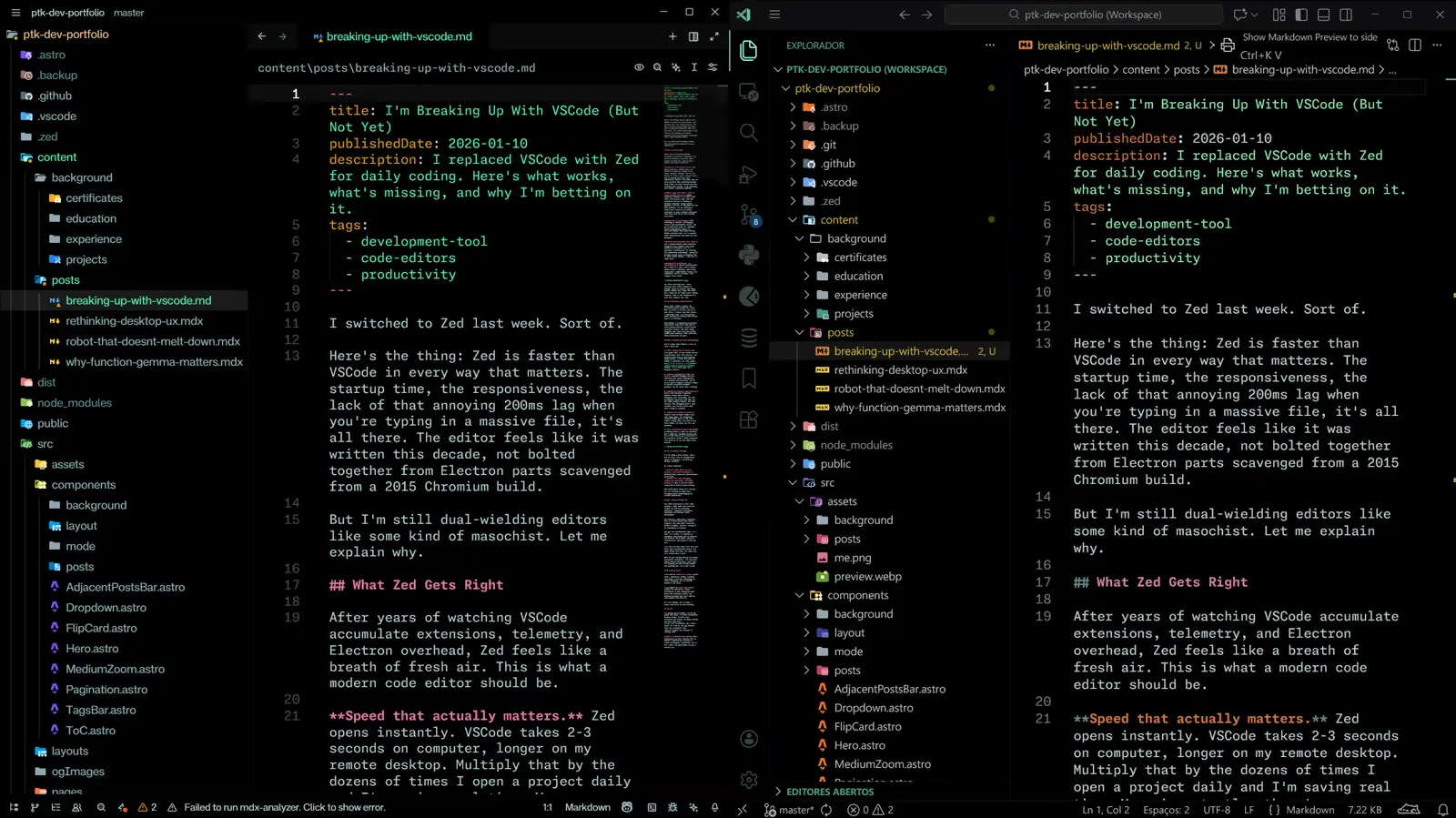
This dual-editor setup (Zed Right, VSCode Left) isn’t forever, but it’s letting me adopt Zed’s strengths while acknowledging its current limitations.
Why I Think Zed Will Win
The editor graveyard is full. Atom, Brackets, Light Table all tried and failed. But Zed has something different: undeniable performance advantages and focused, rapid development.
The features I need aren’t vaporware. They’re tracked issues with actual progress. The team ships frequently, builds in public, and isn’t trying to be everything to everyone.
Zed gets the fundamentals right. It’s fast. It’s stable. It respects my attention. Everything else is features, and features can be built. Speed is architectural. Zed nailed it from day one.
I’ve seen too many tools start lean and bloat into unrecognizable messes. Zed might follow that path. But right now, it’s exactly what I need.
When the git tooling matures and remote development stabilizes, I’ll uninstall VSCode without hesitation. Until then, I’m enjoying the best of both worlds and spending most of my time in Zed.
My Current Setup
I use Zed for 70% of my work: quick edits, exploratory coding, anything that doesn’t need Git archaeology or remote debugging. It’s my default editor in the shell.
I use VSCode for the other 30%: complex Git operations, remote development on EC2, debugging weird multi-root workspace issues, and Markdown previews that don’t make my code samples look like ass.
It’s not elegant, but it works. I expect that ratio to keep shifting.
The Bet
I’m giving Zed six months. If the Git graph view ships, if remote development becomes usable, if multi-root workspaces get fixed I’ll delete VSCode and never look back. If not, I’ll re-evaluate. But I don’t think I’ll need to. The gap between “fast but incomplete” and “feature-complete but bloated” is closing. Fast.
Would I recommend it? If you value performance and don’t heavily rely on VSCode’s advanced git features or remote development, absolutely. Try it for a week. The speed alone might convert you.